






BGRemove.cc

Free · No sign-up · Runs in your browser

Change background colorof any photo

Remove the background, then paint a new one: white, black, blue, red, pastel, your brand colour — or a blurred or photo backdrop.

or drop a file, paste an image (Ctrl/⌘ + V) or

No image? Try one of these:

Processed on your device — your images are never uploaded.

  • Full-HD PNG
  • No watermark
  • Batch & ZIP
  • Mobile-friendly

Swap the background colour in seconds

Changing the background colour of a photo used to mean masking in Photoshop. With BGRemove, the AI removes the old background automatically and the editor lets you choose a new colour with one tap. Preview updates live, so you can try ten colours in ten seconds.

Beyond solid colours you can choose gradients, blur the original background, or upload your own background image.

Change Background Color example: People with background removed
Change Background Color example: People original
Peopledrag to compare
Change Background Color example: Animals with background removed
Change Background Color example: Animals original
Animalsdrag to compare
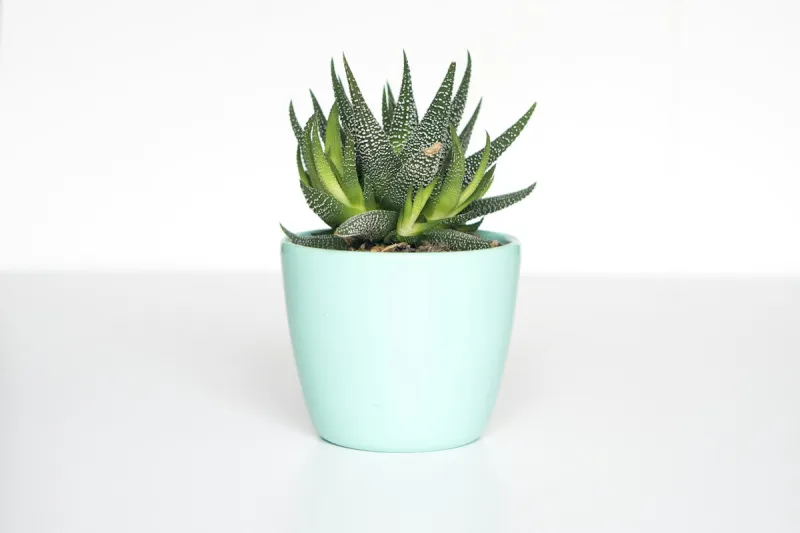
Change Background Color example: Products with background removed
Change Background Color example: Products original
Productsdrag to compare
Change Background Color example: Objects with background removed
Change Background Color example: Objects original
Objectsdrag to compare

How to change the background color of a photo

  1. 1

    Upload your photo

    The background is removed automatically.

  2. 2

    Pick a colour

    Choose a preset swatch or any custom colour with the picker.

  3. 3

    Download

    Save the recoloured photo as a JPG, PNG or WebP.

Everything you need, nothing you don't

Fully automatic

One click. The AI finds the subject and removes the background — no selections, no masking.

Full-resolution, free

Download the HD result at your original size. No credits, no watermark, no low-res preview.

Private by design

Images are processed on your own device. Nothing is uploaded, stored or used for training.

Erase & restore brush

Touch up the edges in seconds: erase leftovers or paint back details the AI missed.

Batch processing

Drop many images at once and download them all together as a ZIP file.

New backgrounds

Transparent, white, any colour, gradients, blur or your own photo — previewed live.

Made for every kind of image

Brand-consistent visuals

Put every team photo or product on your exact brand colour.

Social media posts

Bold, flat colour backgrounds make subjects pop in the feed.

ID & visa photos

Switch to the white, blue or red background an application requires.

E-commerce variants

Test which background colour converts best for your listings.

Choosing the right background colour

White is clean and neutral; black feels premium; saturated colours draw attention on social media; soft pastels feel friendly. Pick a colour that contrasts with the subject's dominant tones so the edges stay crisp.

Popular colours: blue, red and white backgrounds

Blue backgrounds are common for official ID photos in some countries, red for certain visa and school photos, and white for passports and marketplaces. BGRemove includes these as one-tap presets.

Frequently asked questions

How can I change the background colour of a photo for free?

+

Upload the photo here, wait for the background to be removed, then choose a colour in the Background panel and download.

Can I use my own background image?

+

Yes. In the Background panel choose Photo and upload any image. Your subject is placed on top of it automatically.

Is BGRemove really free?

+

Yes. Removing a background, editing the cut-out and downloading the full-resolution PNG costs nothing and needs no account. There are no credits, no watermarks and no daily limit, because the AI runs on your own device instead of our servers.

Are my images uploaded to a server?

+

No. The background removal model is downloaded once and then runs locally in your browser using WebGPU or WebAssembly. Your photos never leave your device, which makes BGRemove safe for product shots, ID photos and client work.

Does it work on iPhone and Android?

+

Yes. BGRemove runs in any modern mobile browser — Safari, Chrome, Edge, Samsung Internet. Open bgremove.cc, tap Upload Image, pick a photo from your gallery and save the result back to your phone.

More free background tools

Ready to remove the background?

Drop an image anywhere on this page, or click below. Results in seconds — free forever.